
SOFTWARE SYSTEMS INTEGRATION

Connect your systems around the way work moves.

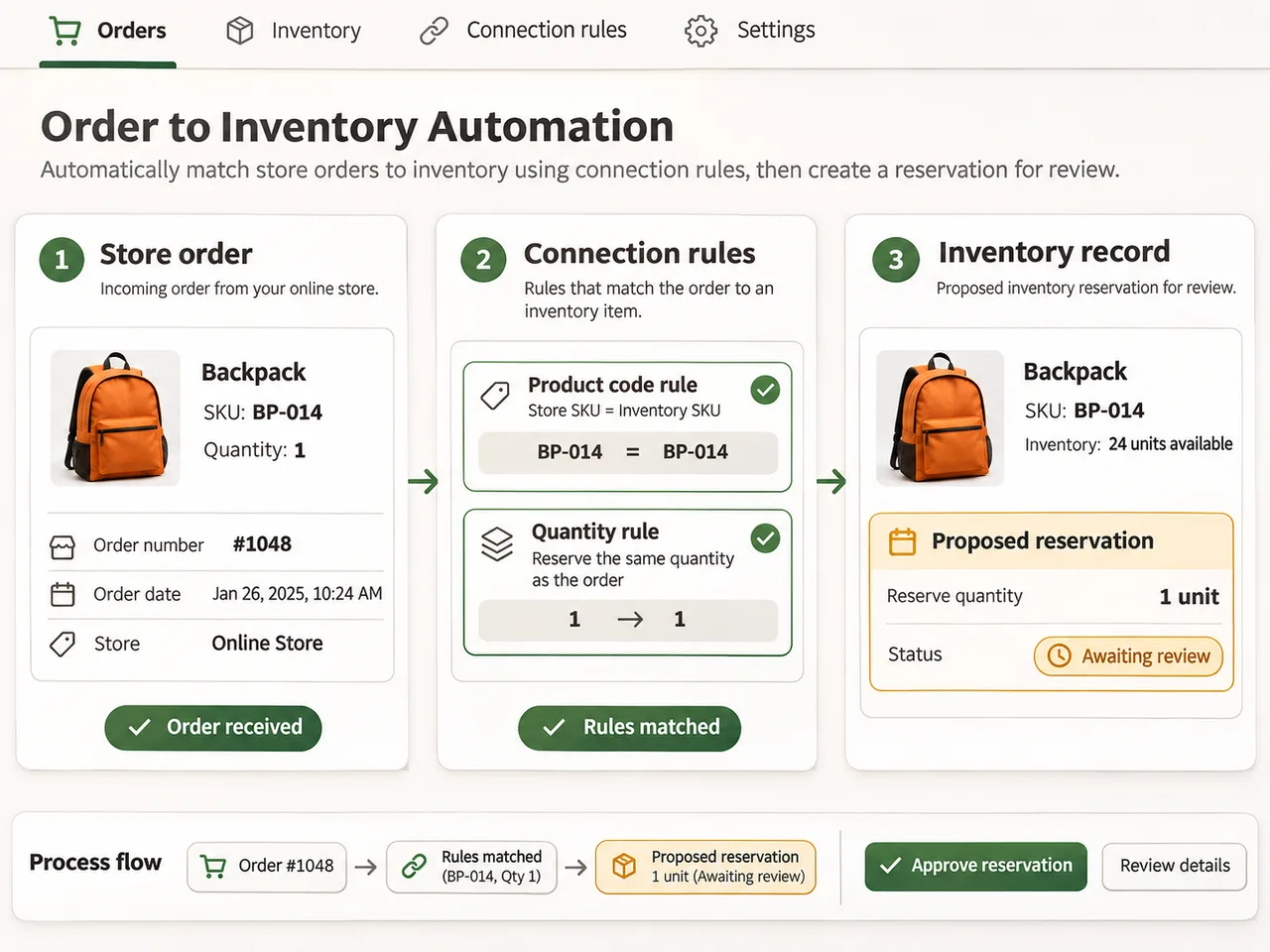
An order in your store. A record in your management tool. A stock change to review. Connect those steps with clear data ownership, agreed rules and a way to handle exceptions.

Illustrative light software workflow connecting a store order, connection rules and an inventory record for the same orange backpack and quantity.

01 / THE DATA AND THE WORKFLOW

Define what moves and what it means in each system.

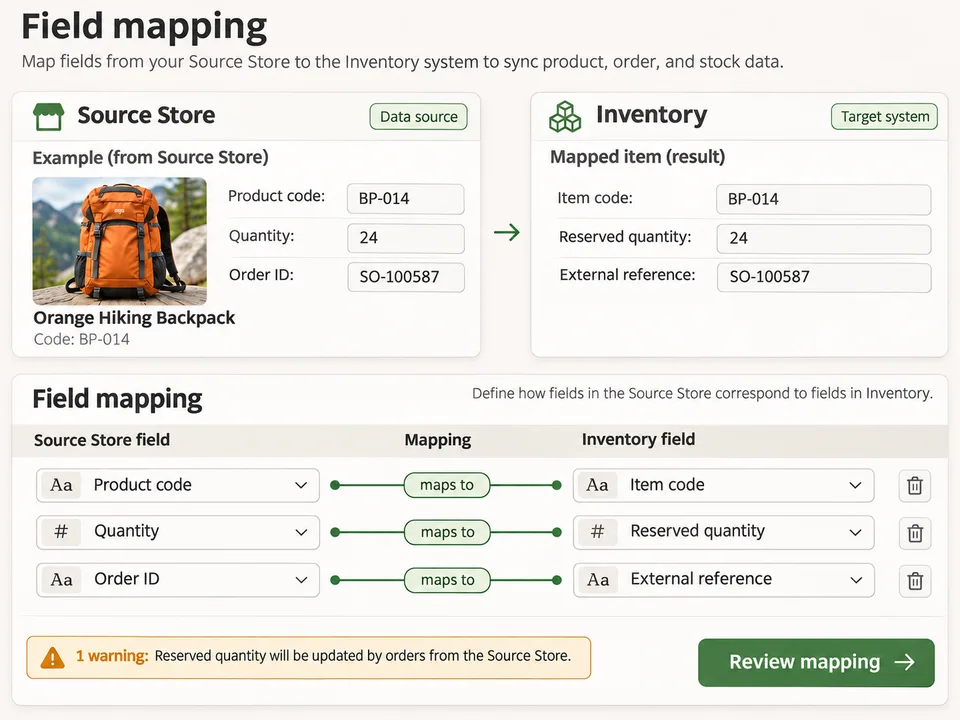
We build connections around the records and actions your operation needs, with clear rules for the information each system sends or receives.

Illustrative light field mapping between two systems showing corresponding product, SKU and stock fields.

System & data connections

Connect compatible software by defining how product, stock or other agreed records correspond across systems.

  • Source records and matching fields
  • Data ownership and transfer rules
  • Compatible connection methods and authorized access
Discuss the data connection
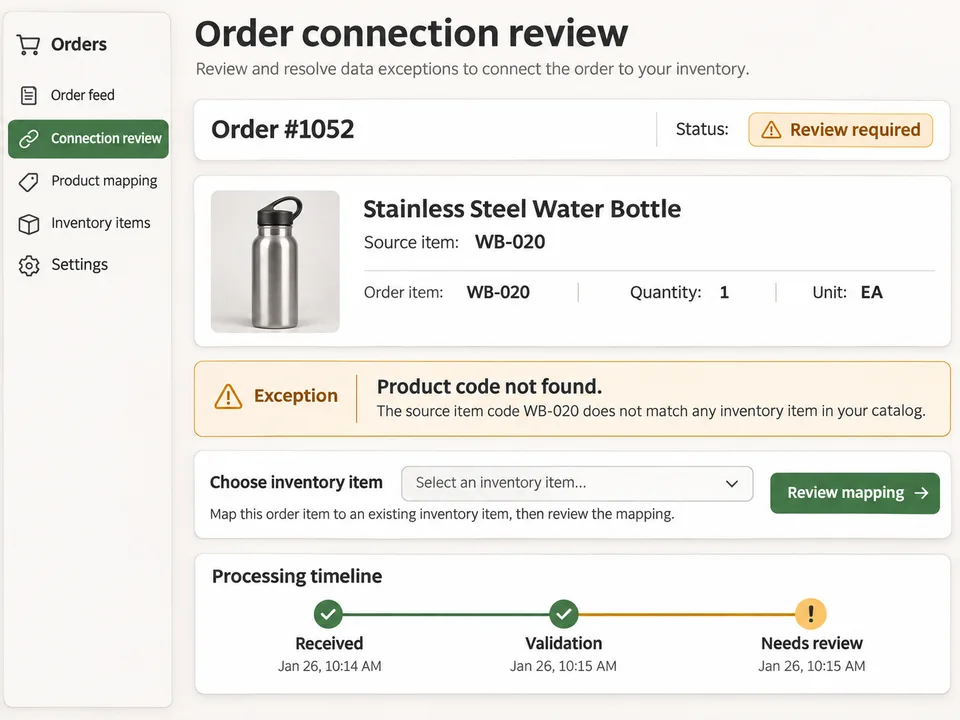
Illustrative light order synchronization review with record statuses, event details and an exception awaiting review.

Order & status workflow coordination

Link the steps of an order or status change, including what needs to happen when a record cannot be processed.

  • Order steps and status-change rules
  • Duplicate and failed-update handling
  • Review paths and approval responsibilities
Discuss the order workflow

02 / SOURCES. RULES. VALIDATION.

A connection needs more than matching fields.

Define the sources, responsibilities and exception paths before connecting operational records.

  1. Map the systems and data

    Identify where records start, which information needs to move and how it is used in the destination. Review available connection methods and compatibility.

  2. Agree on rules and permissions

    Define the source of each field, who owns updates and which actions require approval. Agree on access, duplicate handling and what should happen when data is missing or rejected.

  3. Test results and exceptions

    Review representative records, expected updates and failure cases in the agreed test setup. Check the review path and responsibilities before authorizing operational changes.

Connections, update timing and permitted actions depend on system compatibility and the agreed scope. External services, access requirements and ongoing costs are reviewed before implementation.

03 / BEFORE CONNECTING THE SYSTEMS

A few integration questions.

Which systems can be connected?

Share the software you use and the records or actions you need to connect. Available APIs, webhooks or file exchanges can be evaluated for compatibility and authorized access before a method is agreed.

Can an order update stock or another system?

We define the order step, record fields and update rules for the systems involved. Compatibility, approval requirements and how exceptions are handled determine the proposed workflow.

Which system owns the data?

That needs to be defined for each record or field. We agree on the authoritative source, permitted updates and conflict handling so responsibility is clear when systems contain different values.

What happens to failed or duplicate updates?

We define how to identify duplicates, record exceptions and route them for review. Retry behavior and any approval steps are agreed for the specific workflow rather than assumed.

What do you need to scope the connection?

Describe the systems, record types and desired workflow with a simple example. Do not send credentials or private records; any test data and access requirements are reviewed and agreed later.

04 / START WITH THE CONNECTION

What should move between your systems?

Tell us where the information starts, where it needs to go and what should happen next. We can define the connection around your operation.